
E-REPORTS FOR INDEPENDENT CASE MANAGERS
Spend Less Time Building Reports—and More Time Managing Cases.
Your case information should not have to be recreated in Word, spreadsheets and invoices every time something changes. E‑Reports helps you capture information and billable activity as you work, create professional progress reports, communicate with clients and generate accurate itemized invoices from one organized workflow.
Work more efficiently. Invoice sooner. Create room for more referrals without creating more administrative work.
Monthly subscription • Cancel anytime • No software to install
A quick look at E‑Reports reporting, activity tracking, and invoicing.
Reporting and Billing Shouldn’t Become a Second Job.
Every time you copy claim information into another report, reconstruct activities from notes or re-enter the same work into an invoice, you lose time that could be spent managing cases—or growing your practice.
Fragmented workflows also make it easier to overlook billable activity, delay invoicing and send clients inconsistent information.
E‑Reports connects those tasks so the work you document during the case can continue forward into the report and invoice.
Capture It Once. Put It to Work Across the Case.
Finish Reports Efficiently
Start with existing case information instead of rebuilding every progress report from the beginning.
Capture More Billable Work
Track services, time, travel and reimbursable expenses while the details are still fresh.
Work From Multiple Devices
Review and revise reports before delivery, notify adjusters when cases are updated, and document authorization requests.
Review Before You Send
Review reports and invoices, correct anything that needs attention, and then email, print or save the finished document.
Keep Adjusters Informed
Notify assigned adjusters when information is ready and document requests for treatment or case authorization.
A Consistent Process
Use standard, comprehensive, medical or customized report formats appropriate for your cases and clients.
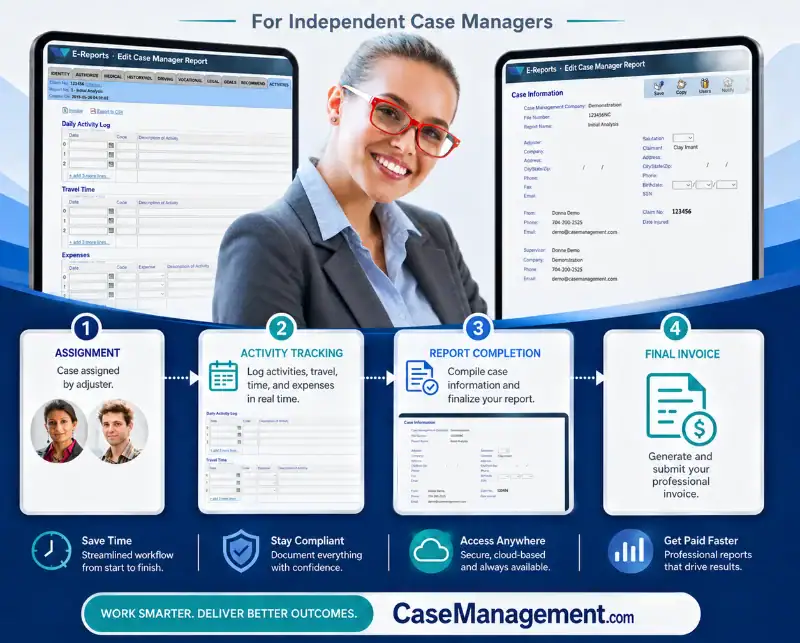
From Case Assignment to Final Invoice
- Set up the case. Enter the core claim, claimant, employer and client information once.
- Capture work as it happens. Add case updates, recommendations, activities, time, expenses and travel.
- Build and review the report. Reuse existing information, complete the current progress report and make any necessary revisions.
- Create the invoice. Convert tracked activity into an itemized invoice and review it before delivery.
- Keep the case moving. Notify the appropriate client or payer and continue adding information through the life of the case.
Turn Administrative Time Back Into Capacity.
E‑Reports is not simply a report generator. It’s an operating workflow designed to help an independent case manager work more consistently from assignment through invoicing.
When reporting takes less effort and billable activity is captured more reliably, you can respond to clients faster, invoice with greater confidence and handle more referrals without allowing paperwork to consume your practice.

Developed Around the Way Case Managers Actually Work.
E‑Reports was developed by case managers for case managers. Its reporting, activity tracking, client access and billing functions reflect the practical work required to document progress, communicate recommendations and move injured workers toward maximum medical improvement and return to work.
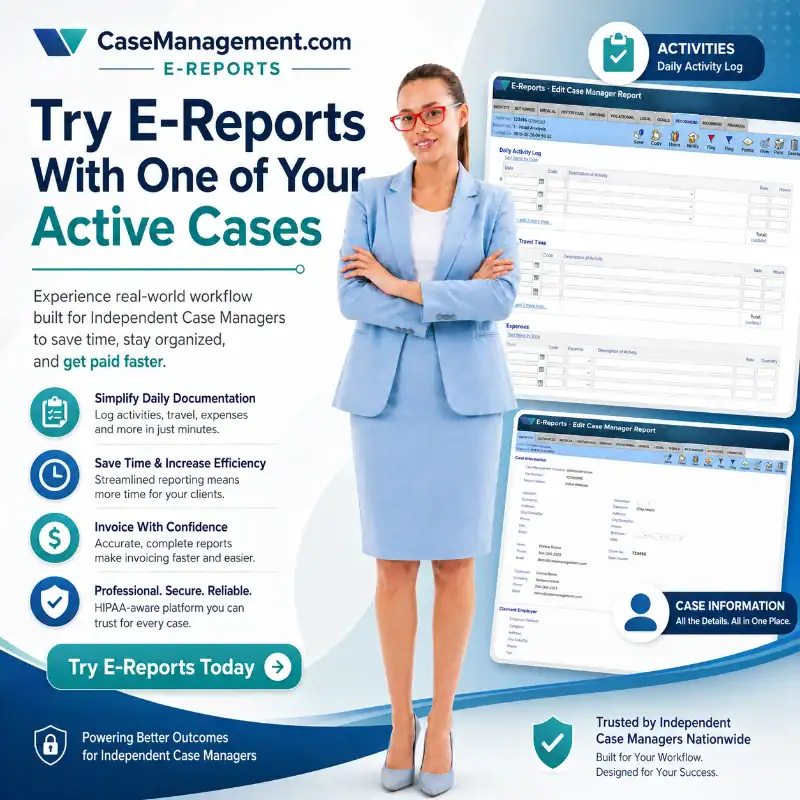
Try E‑Reports With One of Your Active Cases.
Bring your existing workflow, payer template and current case. See how E‑Reports can reduce duplicate entry and help you move from case activity to a completed report and invoice.